

Campaigns on Kua.lat — What It Is
The Campaigns feature in Kua.lat lets you group multiple short URLs together into a single campaign. Once you create a campaign and add links to it, you get a unique campaign link that you can share with your audience. Anyone who visits that link can see or use all the links included in the campaign — and you can view aggregated statistics across all those links, so you can measure total engagement for the campaign as a whole.
✔ Campaigns help you organize multiple links in one place.
✔ They let you share a single access point instead of many separate URLs.
✔ They provide combined analytics for all links in the group.
How to Create a Campaign on Kua.lat
- Select the links you want to include in the campaign from your list of short URLs.
- Click the Campaign icon or button in the interface.
- In the dropdown, choose an existing campaign or create a new one if you haven’t already.
- The links are then grouped under that campaign.
Once the campaign is created and configured:
✔ Share the campaign link with users.
✔ Ensure your account and default Bio Page are set to public if the campaign list page needs to be viewable by others.
Link Rotator — What It Is
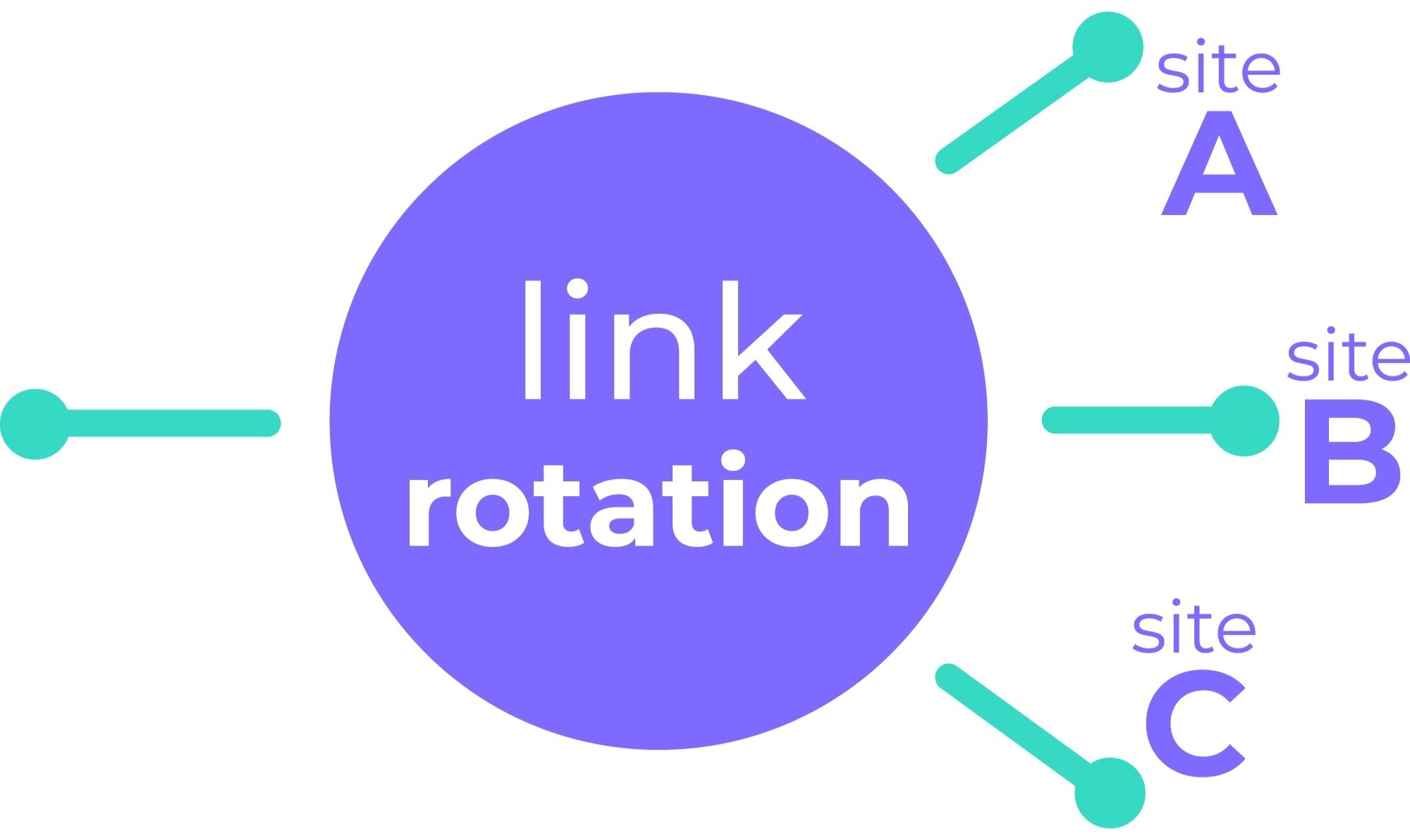
A Link Rotator is a special behavior or mode that can be applied to a campaign link. Instead of showing a list of links, the campaign link randomly redirects each visitor to one of the links inside the campaign group.
Link rotators work like this:
✔ You create or enable rotator functionality for a campaign.
✔ A user clicks the campaign URL.
✔ The system randomly selects one destination link from the campaign and redirects the user to it.
This behavior is similar to how URL rotators work in link management tools — they route traffic to multiple destinations based on a random or defined distribution, which is useful for A/B testing, campaign optimization, or traffic splitting.
Why Use Campaigns and Link Rotators?
Campaigns
- Keep related links organized under one umbrella.
- Share one link instead of many.
- See combined analytics for all campaign links — total clicks, trends, etc.
Link Rotators
- Randomize where visitors go from one shared link.
- Ideal for A/B tests or trying different landing pages or offers.
- Helps distribute traffic evenly or randomly among multiple URLs.
Final Summary
| Feature | What It Does | Main Benefit |
|---|---|---|
| Campaign | Groups multiple short links under one umbrella, shareable via a single URL | Easier management + aggregated statistics |
| Link Rotator | Randomly redirects users to one of the campaign’s links | Useful for testing or distributing traffic across multiple destinations |
.png)
.png)